 Ternpost
Get through your inbox without touching the mouse.
Ternpost is a mail app for Mac that puts Gmail, Outlook and IMAP accounts in one list and gives every action a key. Archive, reply and snooze happen on your device at once, then reach your provider.
Seven emails. Seven keystrokes.
Press E and the conversation is archived on your Mac straight away. Ternpost sends the change to Gmail or Outlook a moment later, so Z can still take it back.
- JK
- Next and previous conversation
- E
- Archive
- Z
- Undo
Inbox
7 conversations- Mara LindqvistDraft of the Lisbon talk, comments welcome
- Build botChecks passed on main
- Dev PatelRe: lunch on Thursday?
- Northwind AirYour boarding pass for Lisbon to Reykjavík
- Ola BakkerPhotos from the ferry
- CalendarInvitation: design review, Friday 10:00
- Harbour BankYour November statement is ready
Try it in any theme.
Screens from the current build, filled with sample mail. Pick a view, then one of seven themes in light or dark. Things will still move around before release.
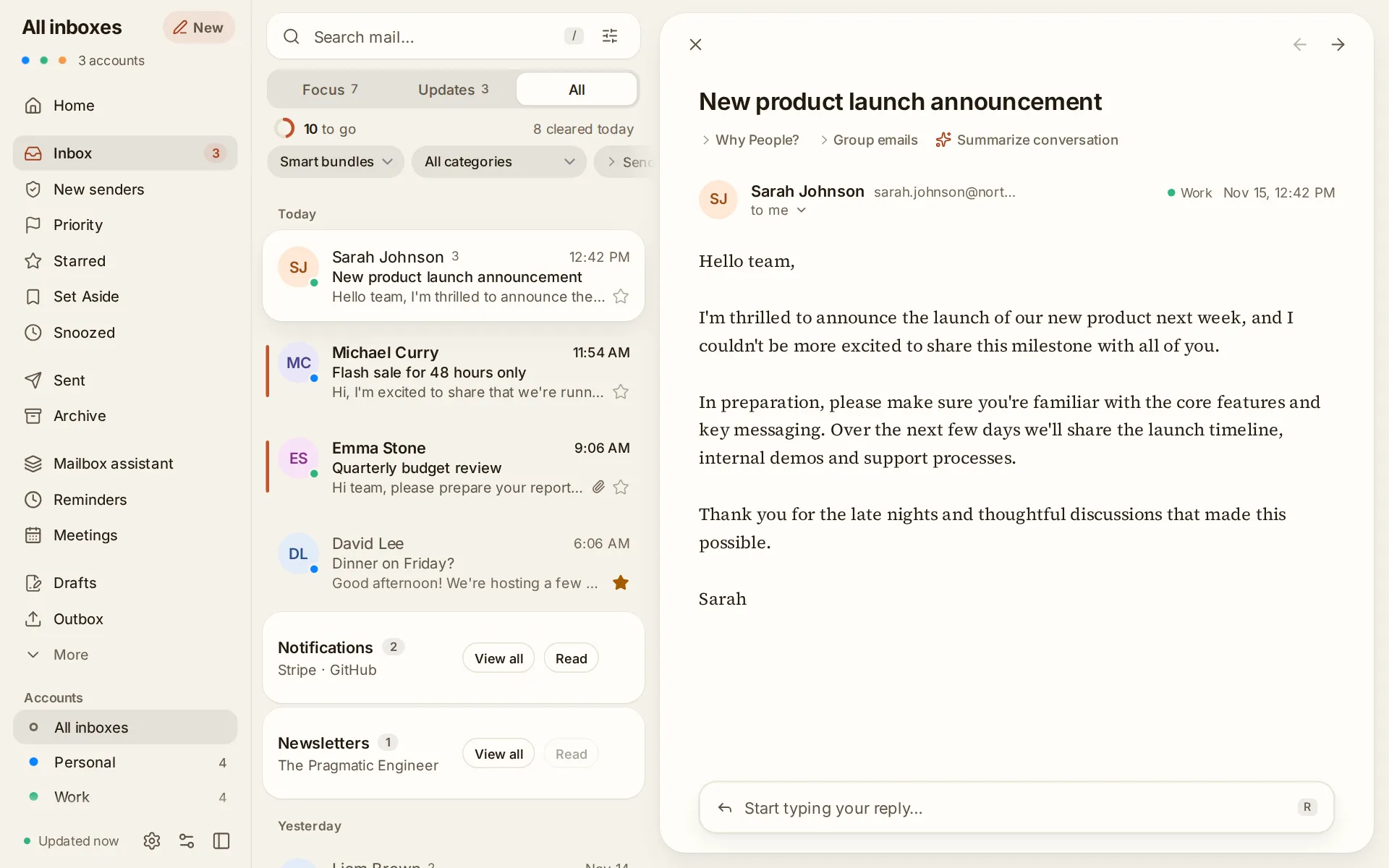
Every account in one list, with notifications and newsletters bundled out of the way.
Paper. Warm off-white, ink-brown type and a terracotta accent. Reads like a well-set letter.
Built the way a mail app should be.
Every account, one list
Gmail, Google Workspace, Microsoft 365, Outlook.com, iCloud, Fastmail and any IMAP server, side by side.
Nothing is final straight away
Archive, trash and send are held briefly before they reach your provider, so Undo can recall them.
Your mail stays on your Mac
Mail, search and settings live on your device, and sign-ins sit in your keychain. We run no server that receives your mail.
Every action has a key.
Learn a handful and your hands stay on the keyboard. Press ? in the app to see them all, or rebind them in Settings.
- H
Snooze
Hides a conversation until the time you pick, then returns it to the top of your inbox.
- RAF
Reply, reply all, forward
With templates, signatures, scheduled sending and follow-up reminders.
- /
Search
Searches the mail on your device first, then asks your provider for anything older.
- ⇧P
Priority
Marks the conversations that matter so they get their own view and alerts.
- ⇧E
Archive everything listed
Clears a whole view of newsletters or notifications in one go, with Undo.
- ⌘K
Command palette
Every command by name, including calendar, rules and settings.
What Ternpost can see, and where it goes.
You connect an account by signing in on Google's or Microsoft's own page, where you approve this access. Ternpost never sees your password.
| What | Why Ternpost needs it | Where it's kept |
|---|---|---|
| Your mail | To show, search and organise your messages, and send the mail you write. | On your device |
| Your sign-in | To keep your inbox up to date without signing in again. | Your system's keychain |
| Your calendar | Only if you turn it on: to show your events and create or answer invitations. | On your device |
| Text you choose to share with AI | Only when you ask for a summary, translation or writing help, after you review exactly what is sent. | The AI provider you set up, with your own key |
Ternpost has no servers that receive your mail. It shows no ads, sells nothing about you, and never uses your mail to train AI models. The Privacy Policy has the full detail.
Ternpost's use and transfer to any other app of information received from Google APIs will adhere to the Google API Services User Data Policy, including the Limited Use requirements.
Ternpost is in early access for Mac.
Leave your email and tell us which accounts you use. We'll send you a build as soon as they're supported.